
Introduction
Couchbase Enterprise Analytics is a new server from Couchbase that specializes in complex queries on data from multiple sources. It’s not an operational database, but a highly scalable and flexible reporting database that is optimized for cloud and AI use-cases using JSON as its data storage type. It’s classified as a Columnar database which are a type of database optimized for data-warehousing and analytics.
In this post, I will concentrate not on what the Couchbase Enterprise Analytics is or does, but on using the new Couchbase Enterprise Analytics SDK – new SDK for connecting to and running queries against the Couchbase Enterprise Analytics Server.
A Little History
Couchbase actually has a couple of “Analytics” products:
- Capella Analytics- A cloud based data-base-as-a-service (DBaaS) that is based upon a column-orientated Log-Structured (LSM) b-tree structured storage engine that expands the Capalla cloud service for AI and advanced workflows.
- CBAS (Couchbase Analytics Service) – that runs on-premise and specializes in operational and real-time reporting. This is the original Couchbase Analytics and it runs as a server on a traditional Couchbase cluster similar to the Query service, but with a different focus on reporting.
- Finally, Couchbase Enterprise Analytics which runs as a separate cluster and service and is specialized towards AI and ML workflows, advanced reporting in a highly scalable fashion combining multiple data sources into a single platform.
Which one use is dependent on your application or use-case with CBAS intended for smaller, more simpler implementations, Capella Analytics to allow the flexibility of the cloud with respect to scaling and quickly tailoring resources to your usage – think AI, and Analytics Enterprise when you need a enterprise worthy work-horse designed for data and resource intensive AI/ML applications.
The Couchbase Enterprise SDK
This is a new SDK, completely different from the traditional Couchbase SDK used by both the Capella Analytics/Columnar and CBAS. The API is superficially very similar. If you have experience with the operational SDK, you can leverage that expertise.
Note that the Operational SDK will not work with the Couchbase Enterprise Analytics Server. Similarly, the Enterprise Analytics SDK does not work with Capella Analytics or CBAS.
The Couchbase Analytics SDK has support for GOlang, C++, Java, Python etc, however, in this post I will concentrate on the .NET version written in C# and currently available as a release candidate (RC) for .NET10.
You can find the package in NuGet or you can pull the source from Github. Note that this is a new release. If you have any issues, you can get help on Couchbase Forums. You can also ask questions on Stack Overflow or report it as a Github issue.
Installing Couchbase Enterprise Analytics Server
The easiest way to get up and running with the Couchbase Analytics Server is via docker and S3Mock as a storage back end. Detailed directions on how to do this can be found on the Couchbase Enterprise Analytics website.Follow the step-by-step tutorial first before continuing with the rest of the article if you wish to get your hands on it, otherwise keep reading!
Note that you will have to load the Travel-sample dataset and you will also have to connect to it as a datasource.
Create a Dotnet Project
Using your favorite editor or IDE, start by creating a .NET solution and project (if you need a reference checkout out the CLI docs):
> mkdir Analytics.Example

> cd Analytics.Example

> dotnet new console
Next you will add the NuGet package reference to the project for Couchbase.Analytics:
> dotnet add package Couchbase.AnalyticsClient --version 1.0.1
Using your favorite editor or IDE open the Program.cs file so that you can write some Analytics code:
> code Program.cs
You should see something like this:
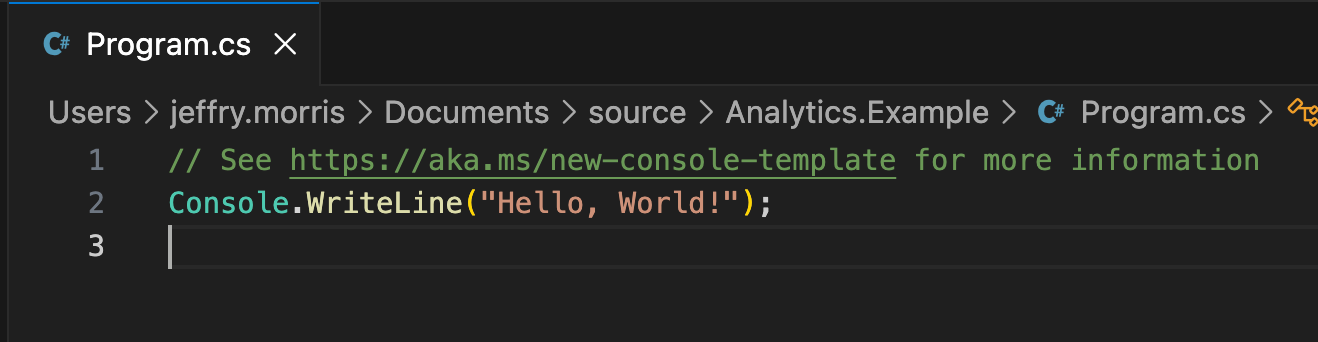
Remove the auto-generated code an add the following namespaces:
using Couchbase.AnalyticsClient;

using Couchbase.AnalyticsClient.Exceptions;

using Couchbase.AnalyticsClient.HTTP;
Then add the following to the `Main` method’s body:
var cluster = Cluster.Create("http://localhost:8095", new Credential("Administrator", "password"));
This creates an instance of the `Cluster` class that can be used to execute SQL++ queries against the Couchbase Enterprise Analytics cluster. Then add the following code so that we execute a query against the database:
var query = "SELECT count(*) AS airport_count, country\n" +

           "FROM `travel-sample`.`inventory`.`airport`\n" +

           "WHERE country = 'United States'\nGROUP BY country;";

var result = await cluster.ExecuteQueryAsync(query);

await foreach (var row in result.Rows)
{
   Console.WriteLine(row.ContentAs<dynamic>().ToString());
}
Finally, let’s build and run the application:
> dotnet build

> dotnet exec Analytics.Example
The output to the console should look like this:
{"airport_count":1560,"country":"United States"}If you receive an error you may want to check that the Analytics Cluster is running and that your credentials are correct. If you followed the “getting started” directions, it should work as planned.
ClusterOptions
The client takes a number of different optional parameters; note these are not 1:1 with options available in the Operational Analytics SDK.
| Parameter | Description | Default |
| SecurityOptions | Settings for various certificate authentication settings. | Uses the development certificate which comes with the SDK. |
| TimeoutOptions | Settings for dispatch, connect and query timeouts | DispatchTimeout: 30s ConnectTimeout: 10s QueryTimeout: 10m |
| MaxRetries | The number of times a retry attempt will happen before failure | 7 retries |
| Deserializer | Override the default deserializer with a custom one. | System.Text.Json |
| Logging | Override the default ILoggerFactory | NullLogger |
QueryOptions
There are also optional parameters for executing a query via ExecuteQueryAsync:
| Parameter | Description | Default |
| AsStreaming | Allow the results to be streamed to the client avoiding large memory allocations | true |
| Timeout | Sets a timeout for the query | ClusterOptions.Timeout (10m) |
| ClientContextId | A guid for correlating queries | If empty a new guid will be used |
| NamedParameters | Named parameters for the query | null |
| PositionalParameters | Positional parameters for the query | null |
| ScanConsistency | The tradeoff between data staleness and performance | NotBounded. – The default which means that the query can return data that is currently indexed and accessible by the index or the view. The query output can be arbitrarily out-of-date if there are many pending mutations that have not been indexed by the index or the view. This consistency level is useful for queries that favor low latency and do not need precise and most up-to-date information. |
| Deserializer | Override the default deserializer with a custom one. | System.Text.Json |
| ReadOnly | Whether the query is read only | false |
| MaxRetries | Maximum number of times to retry a query (when the error is retryable). | 7 |
Conclusion
The Couchbase Enterprise Analytics SDK is the official means of interacting with Couchbase Enterprise Analytics Server. The server is a columnar database suitable for high-performance OLAP applications and especially for AI/ML use-cases.
 Jeff Morris